Environments
An Environment connects a Rollout to an external deployment backend and enables multi-cluster coordination.
What is an Environment?
Environments represent deployment targets like staging, production, or eu-west-1. They:
- Link to a Rollout to track its versions
- Sync state to an external backend for coordination
- Define relationships for cross-environment promotion
Environments Act Independently
Rollout and rollback are local operations managed by the controller on each cluster. There is no central pipeline coordinating environments from above. One cluster can roll back or hotfix without depending on the state of any other.
Environment Resource
apiVersion: environments.kuberik.com/v1alpha1
kind: Environment
metadata:
  name: production
  namespace: default
spec:
  # The Rollout this environment tracks
  rolloutRef:
    name: my-app

  # Human-readable environment name
  name: "production"

  # External backend for state coordination
  backend:
    type: github
    project: "my-org/my-repo"
    secret: "github-token"

  # (Optional) Wait for upstream environment
  relationship:
    environment: staging
    type: After
Key Fields
| Field | Purpose |
|---|---|
rolloutRef | Reference to the Rollout resource |
name | Human-readable environment name for dashboards |
backend | External state store (GitHub is the first supported backend) |
relationship | Dependency on another environment’s success |
Multi-Cluster Coordination
Kuberik uses external backends as a coordination layer. With the GitHub backend, this enables:
- Disconnected clusters: Staging in AWS, Production in GCP—no direct networking required
- Audit trail: Full deployment history visible in GitHub
- Status checks: Branch protections can require successful deployments
During deployment:
- Environment controller updates the backend
- State is recorded (Pending → Success/Failure)
- Downstream environments watch for success events
  flowchart LR
    %% Styles
    classDef env fill:#4B4BE8,stroke:#fff,stroke-width:2px,color:#fff
    classDef backend fill:#E5E7EB,stroke:#374151,stroke-width:1px,color:#374151
    classDef boundary fill:#F3F4F6,stroke:#D1D5DB,stroke-width:1px,color:#374151,stroke-dasharray: 5 5

    subgraph ClusterA ["Cluster A (Staging)"]
        direction TB
        S_ENV[Environment: staging]:::env
        S_RO[Rollout]:::env
    end

    subgraph Backend ["Backend System"]
        BE[External State Store]:::backend
    end

    subgraph ClusterB ["Cluster B (Production)"]
        direction TB
        P_ENV[Environment: production]:::env
        P_RO[Rollout]:::env
    end

    S_ENV -->|Reports Success| BE
    BE -->|Staging Passed| P_ENV
    P_ENV -->|Triggers| P_RO

    class ClusterA,ClusterB boundary
Environment Relationships
Define promotion chains with the relationship field:
spec:
  relationship:
    environment: staging  # Wait for this environment
    type: After           # Only proceed after it succeeds
This creates automatic promotion: when staging succeeds with version v1.2.0, production becomes eligible to deploy v1.2.0.
Backend Configuration
Environments require a backend to store deployment state. The backend type is specified in spec.backend.type.
GitHub
spec:
  backend:
    type: github
    project: "owner/repo"
    secret: "github-credentials"  # Secret containing token
The secret must contain a GitHub token with deployments write scope (repo:deployment). See GitHub Integration for setup details.
Viewing Deployments
Since Kuberik syncs state to external backends, you can view deployment history in your backend provider’s UI.
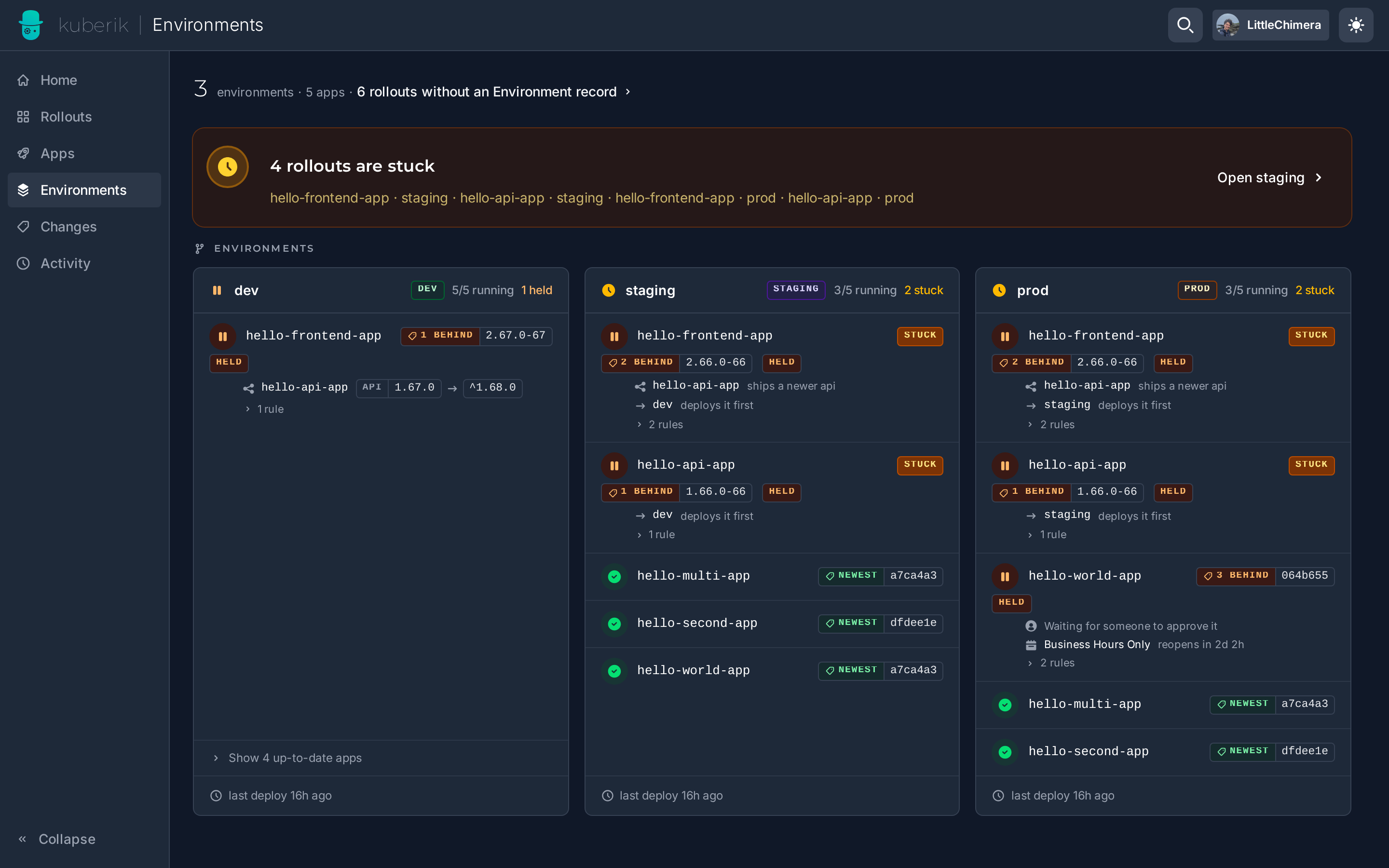
For GitHub:
- Navigate to your repository
- Click Environments in the sidebar
- View deployment history and status
Related Guides
- Cross-Environment Rollout — Set up staging → production
- GitHub Integration — Configure the GitHub backend