Rollouts
A Rollout is the central resource in Kuberik. It tracks versions of an OCI artifact and orchestrates their deployment through a controlled lifecycle. That artifact is either your container image or the rendered manifests for an environment.
What is a Rollout?
A Rollout watches a FluxCD ImagePolicy for new tags. When a new version is detected, the Rollout:
Creates a Release Candidate
The new version becomes a pending release waiting for evaluation.
Evaluates Gates
All gating conditions must pass before deployment begins.
Updates Deployment
Writes the version to the Flux source it owns: a Kustomization substitution variable, or an OCIRepository tag.
Monitors Health
Continuously monitors health checks during the bake period.
Marks Status
The version is marked as succeeded or failed based on health results.
Rollout Resource
apiVersion: kuberik.com/v1alpha1
kind: Rollout
metadata:
  name: my-app
  namespace: default
spec:
  # Watch this ImagePolicy for new versions
  releasesImagePolicy:
    name: my-app

  # How many versions to keep in history
  versionHistoryLimit: 5

  # Stabilization period after deployment
  bakeTime: 15m

  # Select which HealthChecks to evaluate
  healthCheckSelector:
    selector:
      matchLabels:
        app: my-app
Key Fields
| Field | Purpose |
|---|---|
releasesImagePolicy | Reference to the FluxCD ImagePolicy that provides new versions. Resolved in the Rollout’s namespace. |
versionHistoryLimit | How many past versions to retain in status |
bakeTime | Duration to wait and verify health after deployment (e.g., 5m, 1h) |
healthCheckSelector | Label selector to find HealthCheck resources to evaluate |
Rollout Status
The Rollout’s status shows the current state:
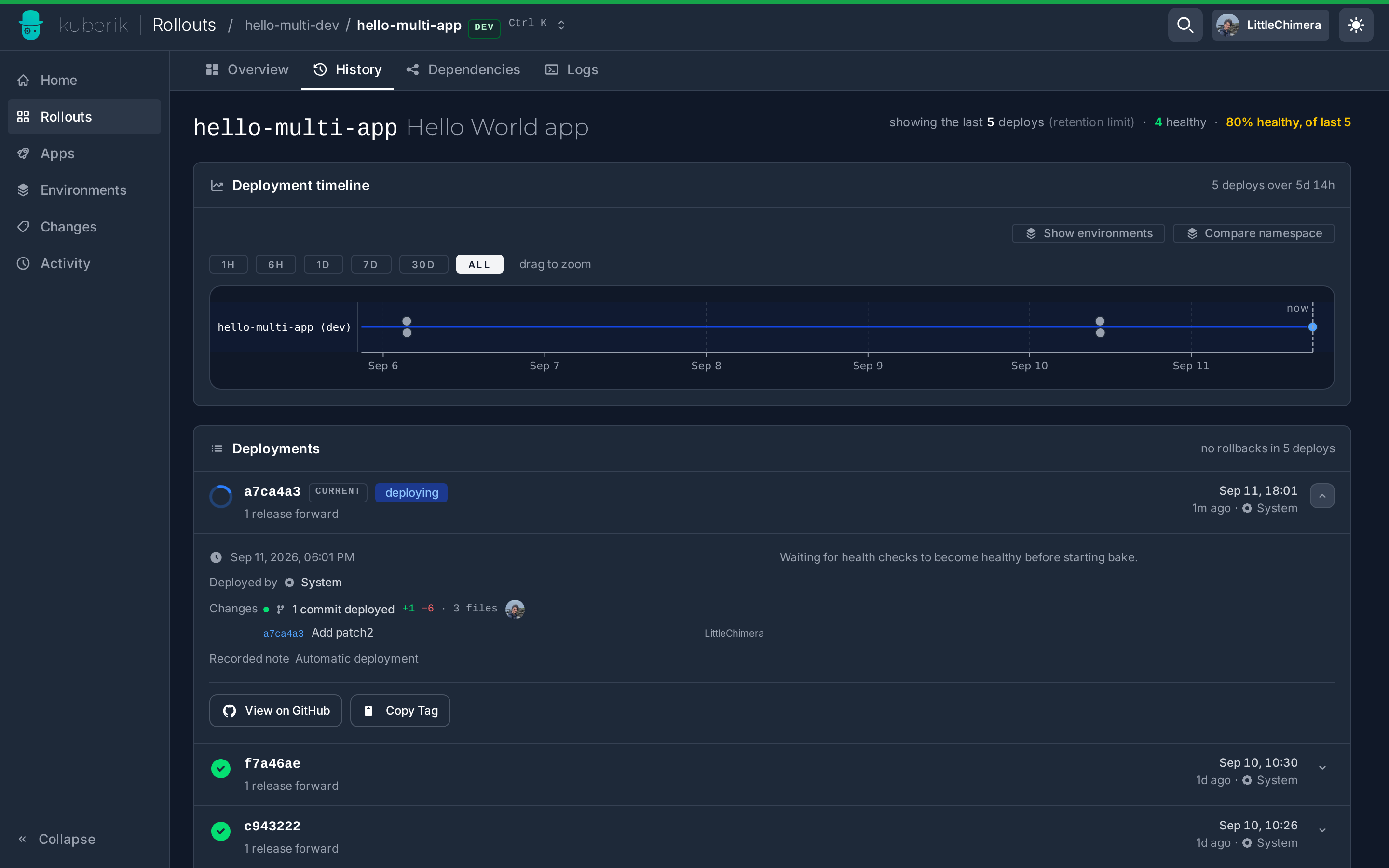
kubectl get rollout my-app -o yamlKey status fields:
currentVersion— The actively deployed versionpendingVersion— A version waiting for gates to passhistory— Timeline of past deployments with outcomes
What a Rollout Propagates
A Rollout does not care what its versions point at. Annotate a Kustomization and Kuberik substitutes the version into it; annotate an OCIRepository and Kuberik moves its tag. Gating, health checks, bake time, and rollback are identical either way.
See Propagation Modes for the trade-offs and for running both at once.
Gating Process
Before a rollout begins, it must pass all defined gates. This flow ensures human or automated approvals:
  flowchart TD
    %% Styles
    classDef state fill:#E5E7EB,stroke:#374151,stroke-width:1px,color:#374151
    classDef decision fill:#FCD34D,stroke:#D97706,stroke-width:2px,color:#374151
    classDef success fill:#34D399,stroke:#059669,stroke-width:2px,color:#fff
    classDef failure fill:#EF4444,stroke:#B91C1C,stroke-width:2px,color:#fff

    Start(New Release) --> Check{Check Gates}:::decision
    Check -->|All Pass| Approved(Approved):::success
    Check -->|Pending| Wait(Wait 10s):::state
    Wait --> Check
    Check -->|Deny| Rejected(Rejected):::failure

    Approved --> Deploy(Deploy Version):::state
    Rejected --> Stop(Stop Rollout):::failure
Healthy Environment Required
A rollout will not start if existing health checks are failing. The release waits until the environment recovers. New deployments never land on top of an active incident.
Verification Cycle
During the bake time, Kuberik continuously verifies health:
  sequenceDiagram
    participant Rollout
    participant Bake Timer
    participant HealthCheck
    participant Kustomization

    Rollout->>Bake Timer: Start bake period (5m)
    loop Every 30s
        Bake Timer->>HealthCheck: Evaluate
        HealthCheck->>Kustomization: Check Ready condition
        Kustomization-->>HealthCheck: Ready: True/False
        HealthCheck-->>Bake Timer: Pass/Fail
    end
    alt All checks pass
        Bake Timer->>Rollout: Mark succeeded
    else Any check fails
        Bake Timer->>Rollout: Mark failed
    end
Sequential Processing
One Version at a Time
Kuberik processes one version at a time. If version v1.2.0 is baking and v1.3.0 is detected:
v1.3.0becomes a pending release- It waits until
v1.2.0completes (success or failure) - Then
v1.3.0begins its own lifecycle
This prevents deployment storms and ensures each version gets proper verification.
Manual Deployments
Deploy a specific version manually during an incident or for targeted recovery. Kuberik distinguishes these from automated rollouts.
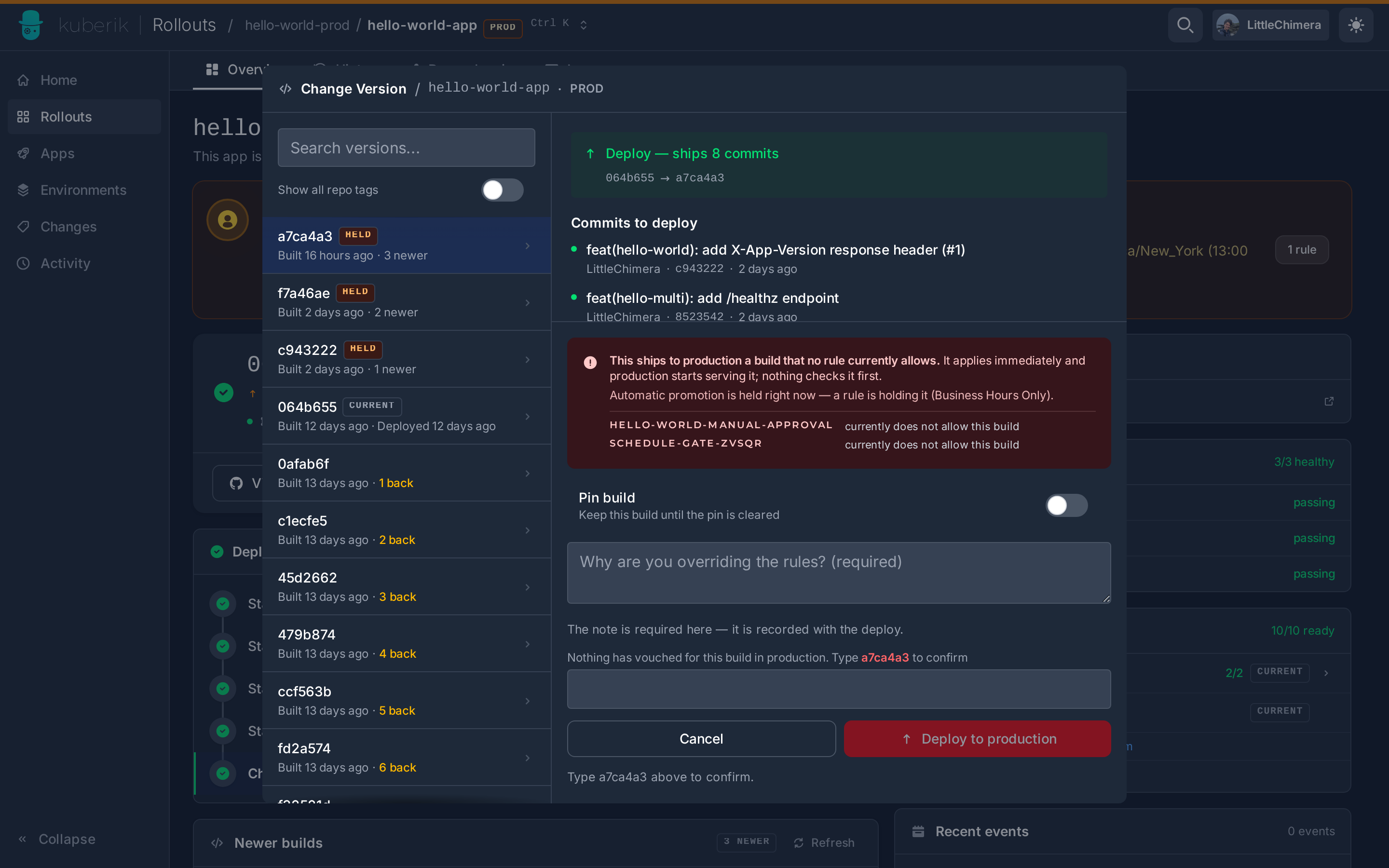
Manual Deploys Are Not Auto-Reverted
Kuberik does not automatically roll back a manually initiated deployment. An operator deploying by hand has made a deliberate decision — the controller does not override it.
Rollback Suppressed in Unhealthy Environments
When a manual rollout lands in an already unhealthy environment, automatic rollback is disabled for that release. This avoids a feedback loop where a rollback triggers further instability, compounding the incident.
Related Guides
- Getting Started: set up your first Rollout
- Propagation Modes: image tag or rendered manifests
- Health Checks: configure verification
- Manual Approvals: add approval gates
- Deployment Schedules: control deployment time windows