Getting Started
Deploy your first application with Kuberik. This guide assumes you have a cluster with FluxCD and Kuberik installed.
Kuberik propagates one of two things through your environments:
| Mode | What Kuberik moves | Where your manifests come from |
|---|---|---|
| Image tag | The application image tag, written into a Flux Kustomization as a substitution variable | A GitRepository |
| Rendered manifests | The tag on a Flux OCIRepository holding the manifests CI already rendered | An OCIRepository, one artifact per environment |
Pick a mode in the tabs below and it carries through the guide. Both modes use the same Rollout, the same gates, and the same health checks. See Propagation Modes for how to choose.
Configure Image Automation
Tell Flux which artifact to scan for new versions. Your CI publishes these artifacts with main-<sha>-<timestamp> tags — see Publishing Releases for the workflows.
Scan the container image your application is built into.
apiVersion: image.toolkit.fluxcd.io/v1beta2
kind: ImageRepository
metadata:
  name: hello-world-app
  namespace: hello-world
spec:
  image: ghcr.io/kuberik/hello-world/app
  interval: 60s
---
apiVersion: image.toolkit.fluxcd.io/v1beta2
kind: ImagePolicy
metadata:
  name: hello-world-app
  namespace: hello-world
spec:
  imageRepositoryRef:
    name: hello-world-app
  policy:
    alphabetical:
      order: asc # Kuberik picks the last one (highest timestamp)
  filterTags:
    pattern: '^main-[a-f0-9]+-(?P<ts>[0-9]+)'
    extract: '$ts'
Scan the manifest artifact CI pushes for this environment. Flux reads tags from an OCI artifact the same way it reads them from a container image, so the setup is identical apart from the repository path.
apiVersion: image.toolkit.fluxcd.io/v1beta2
kind: ImageRepository
metadata:
  name: hello-world-app
  namespace: hello-world
spec:
  image: ghcr.io/kuberik/hello-world/prod/manifests
  interval: 60s
---
apiVersion: image.toolkit.fluxcd.io/v1beta2
kind: ImagePolicy
metadata:
  name: hello-world-app
  namespace: hello-world
spec:
  imageRepositoryRef:
    name: hello-world-app
  policy:
    alphabetical:
      order: asc # Kuberik picks the last one (highest timestamp)
  filterTags:
    pattern: '^main-[a-f0-9]+-(?P<ts>[0-9]+)'
    extract: '$ts'
kubectl apply -f image-automation.yamlCreate the Rollout
Define how Kuberik should manage versions. This resource is the same in both modes.
apiVersion: kuberik.com/v1alpha1
kind: Rollout
metadata:
  name: hello-world-app
  namespace: hello-world
spec:
  releasesImagePolicy:
    name: hello-world-app
kubectl apply -f rollout.yamlImagePolicy and the resources it drives in the Rollout’s own namespace. Keep the Rollout, ImagePolicy, Kustomization, and OCIRepository together in one namespace.Deploy with Kuberik
Point Flux at the source Kuberik will drive.
Kuberik writes the selected version into postBuild.substitute on the annotated Kustomization. The manifests themselves stay in git.
apiVersion: kustomize.toolkit.fluxcd.io/v1
kind: Kustomization
metadata:
  name: hello-world-app
  namespace: hello-world
  annotations:
    rollout.kuberik.com/substitute.HELLO_WORLD_VERSION.from: "hello-world-app"
spec:
  interval: 10m0s
  path: ./deployments/prod
  sourceRef:
    kind: GitRepository
    name: hello-world
  targetNamespace: hello-world
kubectl apply -f kustomization.yamlYour Deployment in ./deployments/prod reads the substitution variable:
apiVersion: apps/v1
kind: Deployment
metadata:
  name: hello-world
spec:
  template:
    spec:
      containers:
        - name: app
          image: ghcr.io/kuberik/hello-world/app:${HELLO_WORLD_VERSION}
Kuberik moves spec.ref.tag on the annotated OCIRepository. The Kustomization reconciles the artifact at that tag, so no substitution variable and no build tooling are needed in the cluster.
apiVersion: source.toolkit.fluxcd.io/v1
kind: OCIRepository
metadata:
  name: hello-world-app
  namespace: hello-world
  annotations:
    rollout.kuberik.com/rollout: "hello-world-app"
spec:
  interval: 60s
  url: oci://ghcr.io/kuberik/hello-world/prod/manifests
---
apiVersion: kustomize.toolkit.fluxcd.io/v1
kind: Kustomization
metadata:
  name: hello-world-app
  namespace: hello-world
spec:
  interval: 10m0s
  prune: true
  sourceRef:
    kind: OCIRepository
    name: hello-world-app
  targetNamespace: hello-world
kubectl apply -f kustomization.yamlYour CI renders the manifests for this environment and pushes them to this path. See Publishing Releases.
Verify the Rollout
Check that Kuberik detected the new version and created a release.
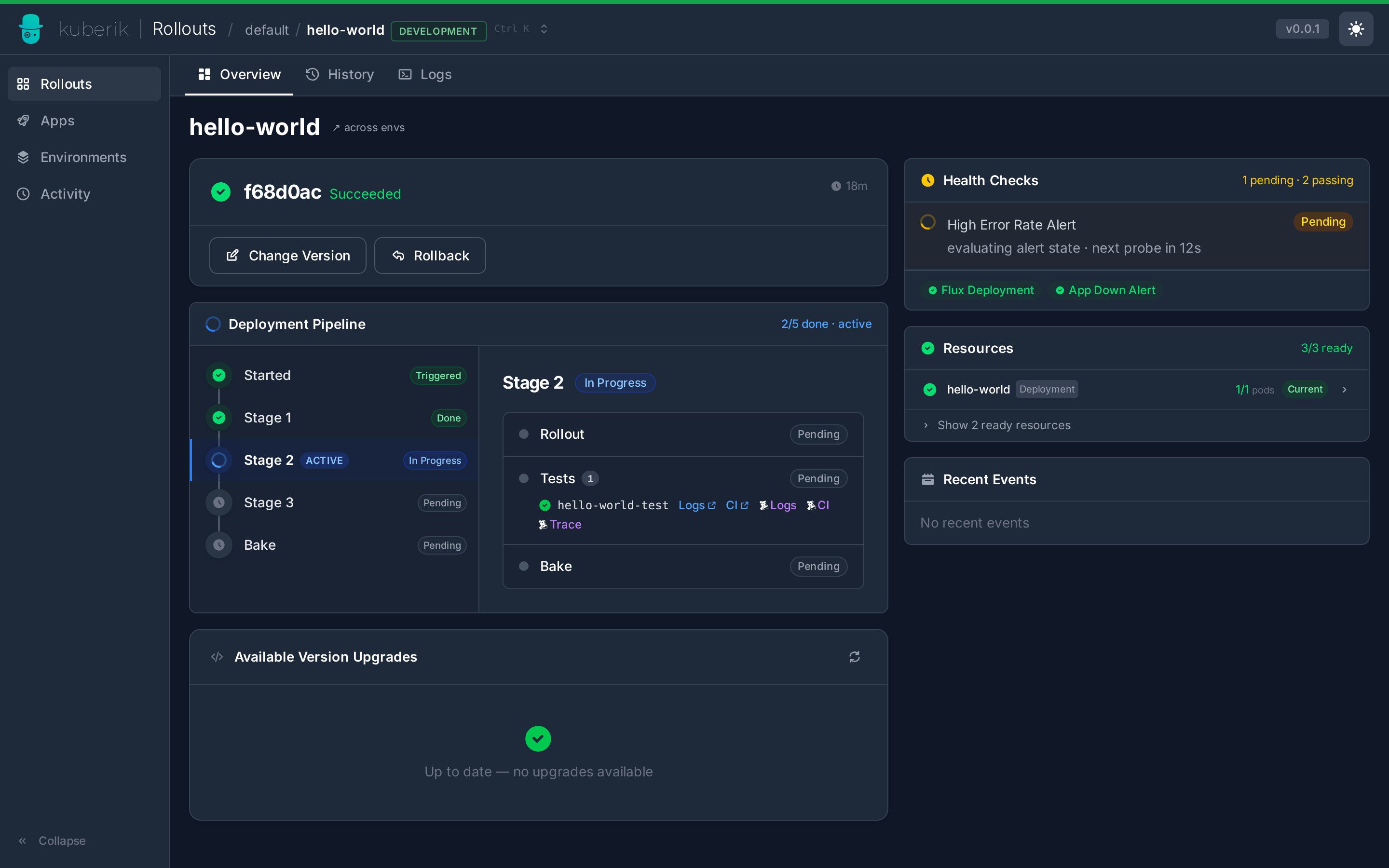
kubectl describe rollout -n hello-world hello-world-app