Manual Approvals
Use RolloutGate to block deployments until explicitly approved.
Create a Gate
gate.yaml
apiVersion: kuberik.com/v1alpha1
kind: RolloutGate
metadata:
  name: production-approval
  annotations:
    gate.kuberik.com/pretty-name: "Production Approval"
    gate.kuberik.com/description: "Requires sign-off before production deploy"
spec:
  rolloutRef:
    name: my-app
The Rollout pauses at the gating stage until the pending version is approved.
Approve a Version
Pick one management method per gate. With Server-Side Apply (SSA), Flux only manages fields it sets—so you can commit the gate to Git without
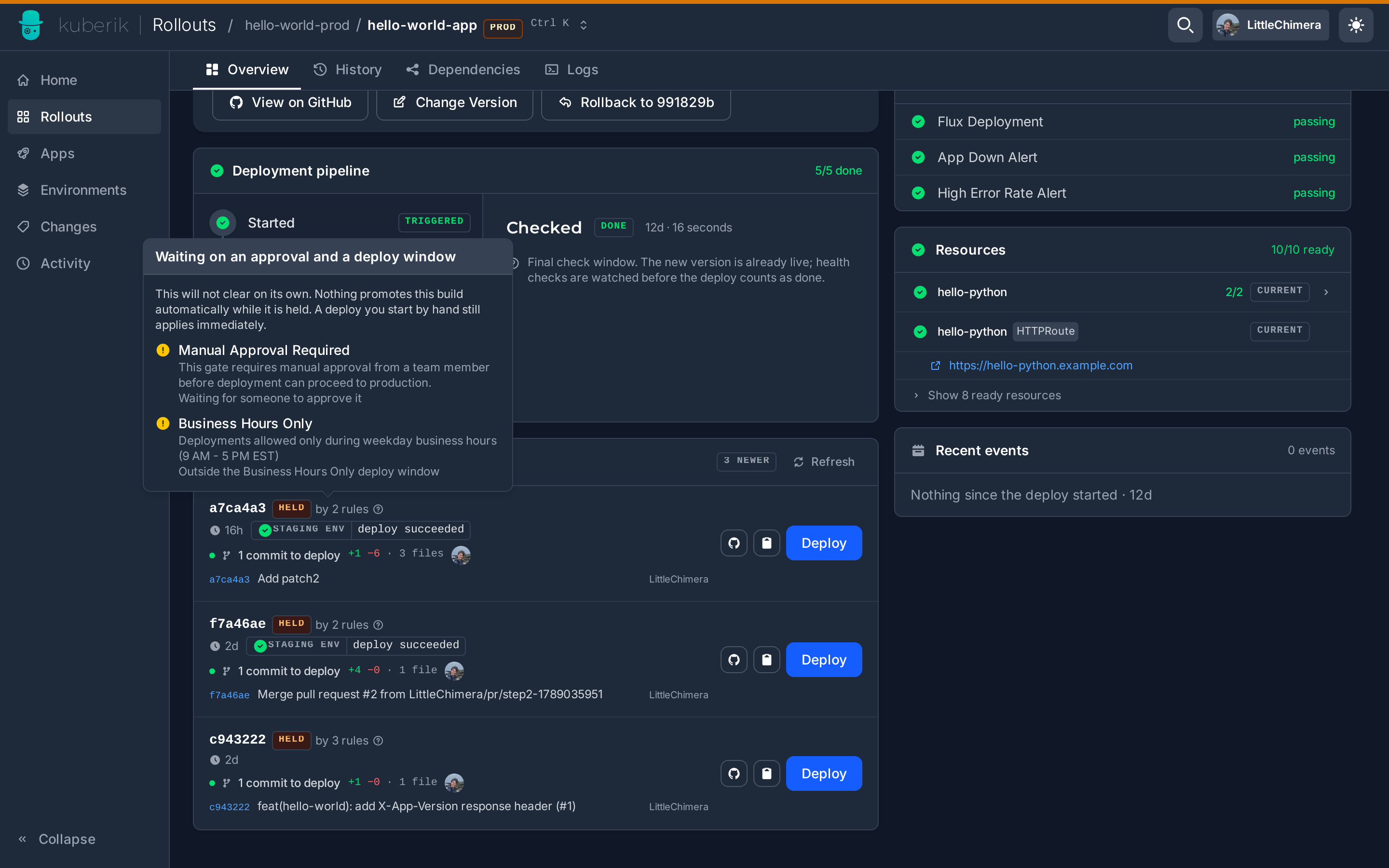
allowedVersions and use Dashboard or CLI to approve versions without conflicts.Open the Rollout in the Kuberik Dashboard. Held builds are listed under Newer builds; the HELD chip names the gate that is waiting. Approve the gate through the CLI or Git so the build promotes on its own, or press Deploy on the build to ship it by hand. A hand deploy overrides the gate, applies immediately and records the note you type.
Add the version to the allowed list:
kubectl patch rolloutgate production-approval --type=json \
  -p='[{"op": "add", "path": "/spec/allowedVersions/-", "value": "v1.2.3"}]'
Commit the approved versions to your Git repository:
gate.yaml
apiVersion: kuberik.com/v1alpha1
kind: RolloutGate
metadata:
  name: production-approval
spec:
  rolloutRef:
    name: my-app
  allowedVersions:
    - "v1.2.3"
    - "v1.2.4"
Flux syncs the updated gate, and the rollout proceeds.
Advanced: Force Deploy
Deploy a specific version immediately, bypassing all gates.
kubectl annotate rollout my-app rollout.kuberik.com/force-deploy=v1.2.3The version must exist in the available releases. The annotation is automatically cleared after deployment.
Use Cases:
- Emergency rollbacks
- Hotfix deployments
- Testing specific versions