Datadog Integration
Use Datadog monitors as health check sources for your rollouts.
Overview
Kuberik can verify deployments by checking DatadogMonitor resource status:
  flowchart LR
    %% Styles
    classDef datadog fill:#632CA6,stroke:#fff,stroke-width:2px,color:#fff
    classDef kuberik fill:#4B4BE8,stroke:#fff,stroke-width:2px,color:#fff
    classDef crd fill:#2D7E9D,stroke:#fff,stroke-width:2px,color:#fff
    classDef boundary fill:#F3F4F6,stroke:#D1D5DB,stroke-width:1px,color:#374151,stroke-dasharray: 5 5

    subgraph Datadog
        MON[Monitor Status]:::datadog
    end

    subgraph Cluster
        direction TB
        DDM[DatadogMonitor CRD]:::crd

        subgraph Kuberik
            HC[HealthCheck]:::kuberik
            RO[Rollout]:::kuberik
        end
    end

    MON --> DDM
    DDM --> HC
    HC --> RO

    class Kuberik boundary
If a Datadog monitor is alerting during bake time, the rollout is marked failed.
Setup
Create DatadogMonitor
Define a monitor that checks your application health:
apiVersion: datadoghq.com/v1alpha1
kind: DatadogMonitor
metadata:
  name: my-app-error-rate
  namespace: default
  annotations:
    # Enable as Kuberik health check
    kuberik.com/health-check: "true"
  labels:
    # Used by Rollout to select this check
    app: my-app
spec:
  name: "My App Error Rate"
  type: metric alert
  query: "avg(last_5m):sum:my_app.errors{env:production} > 10"
  message: "Error rate too high"
  tags:
    - "env:production"
    - "team:platform"
Apply it:
kubectl apply -f datadog-monitor.yamlConnect to Rollout
Configure your Rollout to select Datadog monitors:
apiVersion: kuberik.com/v1alpha1
kind: Rollout
metadata:
  name: my-app
spec:
  releasesImagePolicy:
    name: my-app
  versionHistoryLimit: 5
  bakeTime: 10m

  # Select monitors with matching labels
  healthCheckSelector:
    selector:
      matchLabels:
        app: my-app
How It Works
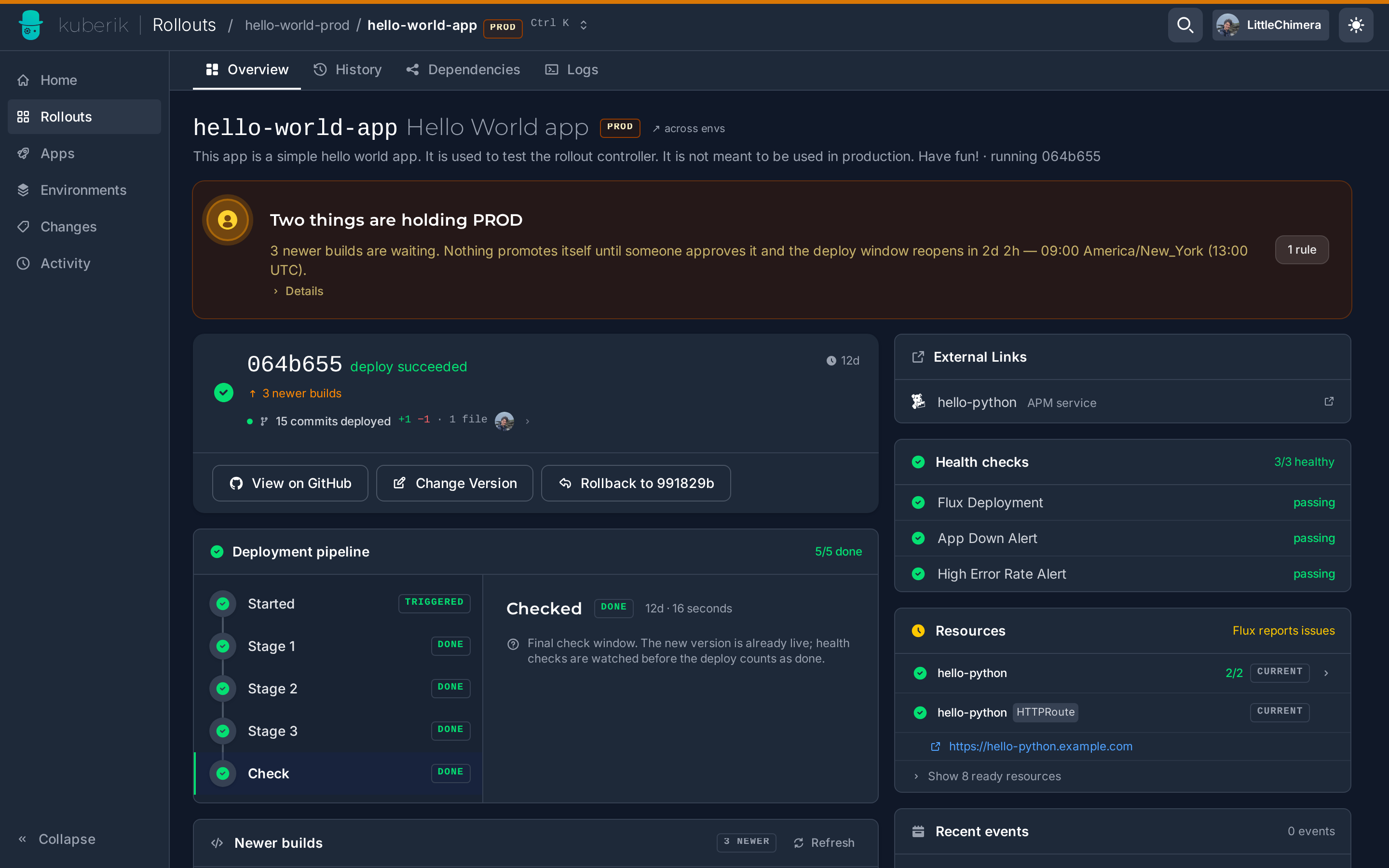
During bake time:
- Kuberik finds DatadogMonitors with
kuberik.com/health-check: "true" - Filters by
healthCheckSelectorlabels - Checks each monitor’s status
- If any monitor is in
Alertstate → rollout fails - If all monitors are
OK→ rollout proceeds
Monitor Types
Kuberik supports all Datadog monitor types:
| Type | Use Case |
|---|---|
metric alert | Error rates, latency thresholds |
service check | Service availability |
event alert | Error log patterns |
process alert | Process health |
Example: Latency Monitor
spec:
  name: "P99 Latency"
  type: metric alert
  query: "avg(last_5m):percentile(my_app.request.latency{env:production}, 0.99) > 500"
  message: "P99 latency exceeds 500ms"
Example: Error Rate Monitor
spec:
  name: "Error Rate"
  type: metric alert
  query: "sum(last_5m):sum:my_app.errors{env:production} / sum:my_app.requests{env:production} > 0.01"
  message: "Error rate exceeds 1%"
Check Datadog Without the Operator
Skip the Datadog Operator and DatadogMonitor CRD entirely. The datadog-api class polls the Datadog API directly for an existing monitor’s status.
Create a secret with your Datadog credentials:
kubectl create secret generic datadog-credentials \
  --from-literal=api-key=YOUR_API_KEY \
  --from-literal=app-key=YOUR_APP_KEY
Create the HealthCheck, pointing at the monitor by ID:
apiVersion: kuberik.com/v1alpha1
kind: HealthCheck
metadata:
  name: my-app-error-rate
  namespace: production
  annotations:
    healthcheck.kuberik.com/datadog-monitor-id: "12345678"
    healthcheck.kuberik.com/datadog-credentials-secret: "datadog-credentials"
    # healthcheck.kuberik.com/datadog-site: "datadoghq.eu"
    # healthcheck.kuberik.com/requeue-interval: "60s"
spec:
  class: datadog-api
kubectl apply -f healthcheck-datadog-api.yamlOK maps to Healthy, Alert maps to Unhealthy, and Warn/NoData/Skipped/Ignored map to Pending.
Supported datadog-site values: datadoghq.com (default), datadoghq.eu, us3.datadoghq.com, us5.datadoghq.com, ap1.datadoghq.com.
Block Rollouts During Incidents
The datadog-incidents class goes unhealthy while any open Datadog incident matches a set of labels - independent of any specific monitor. Use it to block rollouts during an active incident.
apiVersion: kuberik.com/v1alpha1
kind: HealthCheck
metadata:
  name: payments-incidents-check
  namespace: production
  annotations:
    healthcheck.kuberik.com/datadog-incident-labels: "team:payments,env:prod"
    healthcheck.kuberik.com/datadog-credentials-secret: "datadog-credentials"
spec:
  class: datadog-incidents
kubectl apply -f healthcheck-datadog-incidents.yamlThe controller searches for non-resolved incidents (-state:resolved) matching every given label. Any match flips the HealthCheck to Unhealthy.
Best Practices
Use Bake-Specific Monitors
Create monitors specifically for deployment verification:
metadata:
  name: my-app-deploy-check
  annotations:
    kuberik.com/health-check: "true"
spec:
  query: "avg(last_2m):avg:my_app.startup.success{version:${version}} < 0.99"
Appropriate Thresholds
- Set thresholds that catch real issues
- Avoid flaky monitors that alert randomly
- Use
last_5mor longer for stability
Separate Labels
Use distinct labels for deployment checks vs. alerting:
labels:
  app: my-app
  purpose: deployment-gate  # Only select these for rollouts
Troubleshooting
Monitor not being checked
Verify annotation is present:
kubectl get datadogmonitor my-app-monitor -o yamlCheck labels match Rollout selector:
kubectl describe rollout my-app
False positives
If monitors are too sensitive:
- Increase evaluation window (
last_5m→last_10m) - Adjust thresholds
- Add
no datahandling