GitHub Integration
The Kuberik Environment API uses the GitHub Environments and Deployments APIs as a coordination layer for multi-cluster promotions.
Setup
Create GitHub Token
- Go to github.com/settings/tokens
- Click Generate new token (classic)
- Select scopes:
repo:deployment(Read and write access to deployments)
- Copy the generated token
Create Kubernetes Secret
kubectl create secret generic github-credentials \
  --from-literal=token=ghp_xxxxxxxxxxxxxxxxxxxxxxxxxxxxxxxxxxxx \
  -n default
Verify:
kubectl get secret github-credentialsConfigure Environment Backend
Reference the secret in your Environment:
apiVersion: environments.kuberik.com/v1alpha1
kind: Environment
metadata:
  name: production
spec:
  rolloutRef:
    name: my-app
  name: "production"
  backend:
    type: github
    project: "my-org/my-repo"    # owner/repo format
    secret: "github-credentials"  # Secret name
Next Steps
Dashboard: Commit Changelists
The Rollout Dashboard can show what a deploy changes — the commits and diffstat between the running build and the one you are about to ship — in the Change Version dialog, on rollout detail and in Activity. It does this by signing each user in to GitHub through a GitHub App, so everyone sees only the repositories they can already read.
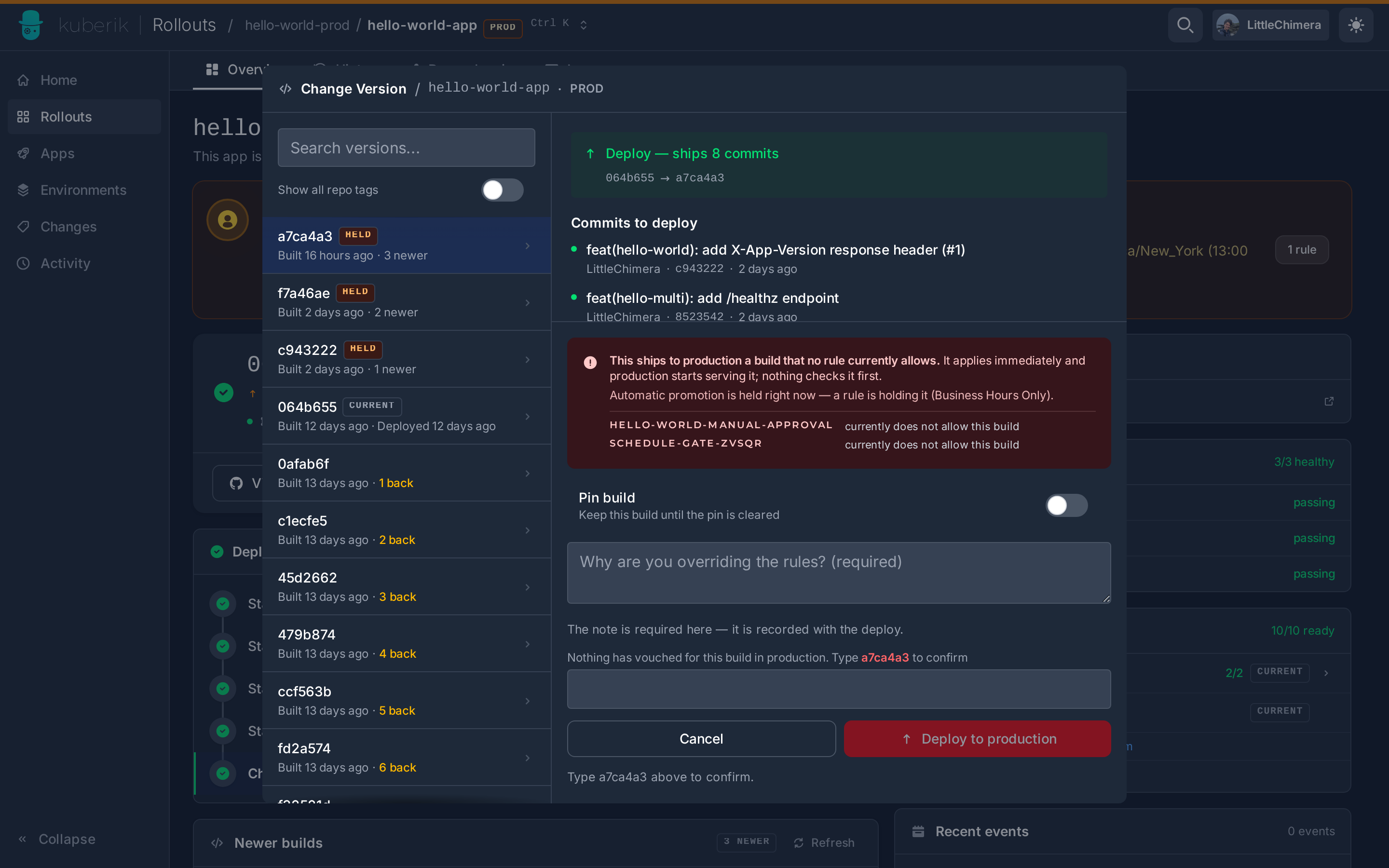
This is independent of the token above: the Environment backend uses a PAT per namespace; the dashboard uses app credentials, hub cluster only.
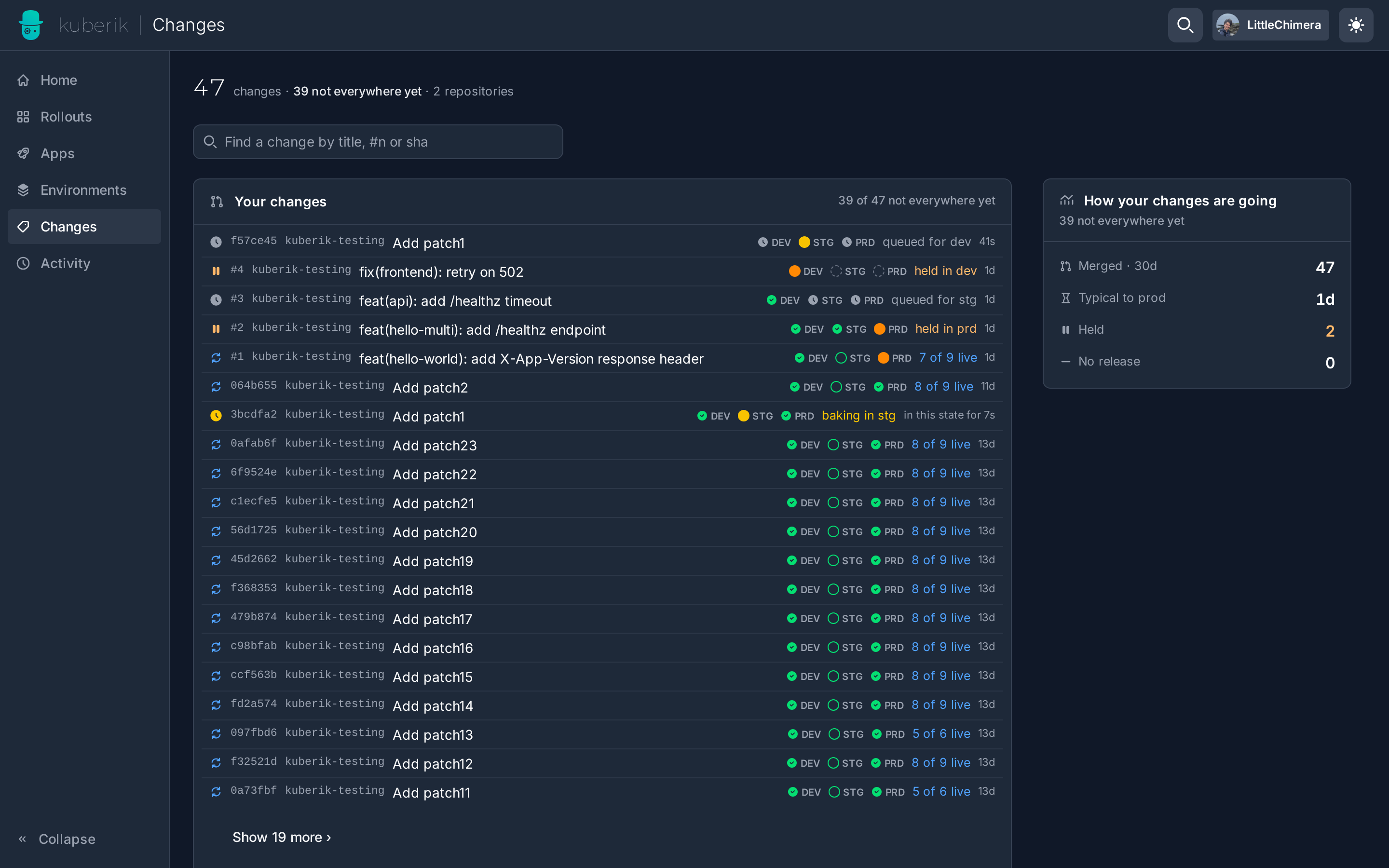
Since v0.9 the same sign-in powers Changes (/changes): every merged pull request and commit across the repositories the cluster deploys, where each one stands per service and environment, and the check-run results on its merge commit. Paste a PR link into ⌘K to open its change.
Create a GitHub App
Settings → Developer settings → GitHub Apps → New GitHub App, on the org that owns your source repositories.
| Field | Value |
|---|---|
| Callback URL | https://<dashboard-host>/api/auth/github/callback |
| Expire user authorization tokens | unchecked |
| Webhook → Active | unchecked |
| Repository permissions | Contents: Read-only (Metadata: Read-only is added for you) |
<dashboard-host> is the host users open the dashboard on. With multiple clusters that is the hub; spokes redirect to it and need nothing.
Install it
Install App on the org or user, for the repositories your rollouts are built from.
Copy the credentials
On the app’s General page note the Client ID and Generate a new client secret. The app’s private key is not used.
Create the Secret
kubectl -n kuberik-system create secret generic github-app-credentials \
  --from-literal=clientId='<client id>' \
  --from-literal=clientSecret='<client secret>'
kubectl -n kuberik-system rollout restart deploy/rollout-dashboard
The dashboard reads it as GITHUB_APP_CLIENT_ID / GITHUB_APP_CLIENT_SECRET. The Secret is optional — without it the dashboard runs and its navbar reads Not configured.
Verify
curl -s https://<dashboard-host>/api/auth/github/status
# {"configured":true,"connected":false}
The navbar now offers Connect GitHub. Sign in once; commit lists fill from the next Change Version on.
redirect_uri is not associated with this application from GitHub means the Callback URL on the app does not match https://<dashboard-host>/api/auth/github/callback exactly — scheme and host included.