Annotations Reference
Complete reference for all Kuberik annotations.
Rollout Annotations
A Rollout drives one of two Flux sources. See Propagation Modes for how to choose. Both resources must live in the Rollout’s namespace.
Kustomization Substitution
FluxCD
Core
Used on Flux Kustomization resources to link version substitution.
kustomization-annotation.yaml
metadata:
  annotations:
rollout.kuberik.com/substitute.<VAR_NAME>.from: "<rollout-name>"| Placeholder | Description |
|---|---|
<VAR_NAME> | The variable name in postBuild.substitute |
<rollout-name> | Name of the Rollout resource to read version from |
Example:
kustomization-example.yaml
apiVersion: kustomize.toolkit.fluxcd.io/v1
kind: Kustomization
metadata:
  name: my-app
  annotations:
    rollout.kuberik.com/substitute.APP_VERSION.from: "my-app-rollout"
spec:
  postBuild:
    substitute:
      APP_VERSION: "latest"  # Default, overwritten by Kuberik
OCIRepository Tag
FluxCD
Core
Used on Flux OCIRepository resources to hand tag ownership to a Rollout. Kuberik writes the selected version to spec.ref.tag.
ocirepository-annotation.yaml
metadata:
  annotations:
rollout.kuberik.com/rollout: "<rollout-name>"| Placeholder | Description |
|---|---|
<rollout-name> | Name of the Rollout resource to read version from |
Example:
ocirepository-example.yaml
apiVersion: source.toolkit.fluxcd.io/v1
kind: OCIRepository
metadata:
  name: my-app
  annotations:
    rollout.kuberik.com/rollout: "my-app-rollout"
spec:
  interval: 60s
  url: oci://ghcr.io/my-org/my-app/production/manifests
  ref:
    tag: "1.0.0"  # Default, overwritten by Kuberik
HealthCheck Annotations
Kustomization Target
Health Checks
Specifies which Flux Kustomization to monitor.
healthcheck-annotation.yaml
metadata:
  annotations:
    healthcheck.kuberik.com/kustomization: "<kustomization-name>"
RolloutGate Annotations
Display Metadata
Dashboard
UI
Provides human-readable information for the Dashboard UI.
gate-annotation.yaml
metadata:
  annotations:
    gate.kuberik.com/pretty-name: "Descriptive Gate Name"
    gate.kuberik.com/description: "Explanation for operators"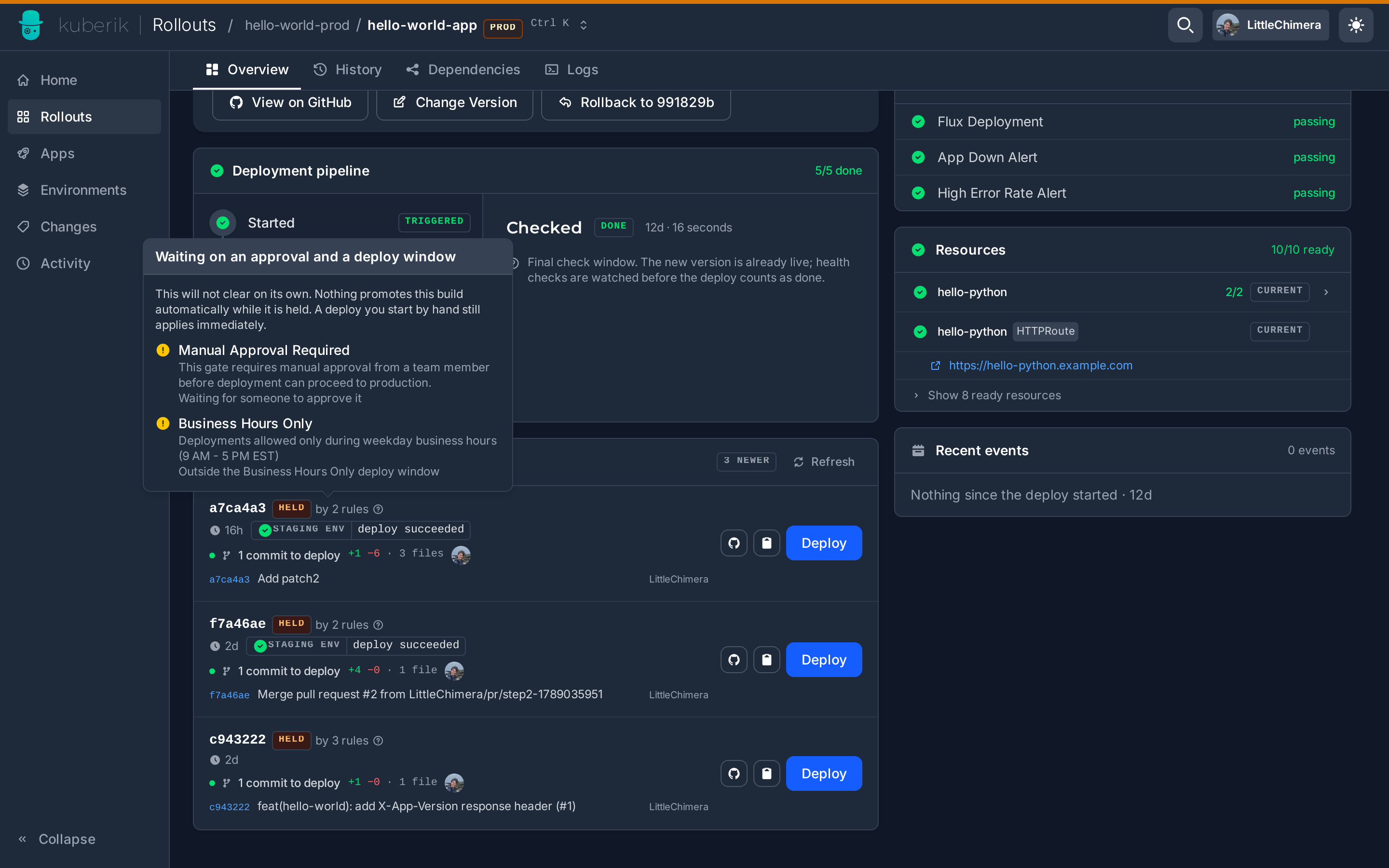
OpenKruise Rollout Annotations
Step Configuration
OpenKruise
Canary
Used on OpenKruise Rollout resources to configure Kuberik’s step handling.
kruise-annotation-template.yaml
metadata:
  annotations:
    # Timeout for step to become ready
    rollout.kuberik.io/step-<N>-ready-timeout: "10m"

    # Bake time for step verification
rollout.kuberik.io/step-<N>-bake-time: "30s"| Placeholder | Description |
|---|---|
<N> | Step index (1-based) |
Example:
kruise-annotation-example.yaml
apiVersion: rollouts.kruise.io/v1beta1
kind: Rollout
metadata:
  name: my-app
  annotations:
    rollout.kuberik.io/step-1-ready-timeout: "10m"
    rollout.kuberik.io/step-1-bake-time: "30s"
    rollout.kuberik.io/step-2-bake-time: "5m"
DatadogMonitor Annotations
Health Check Integration
Datadog
Monitoring
Enable Kuberik to use a DatadogMonitor as a health check source.
datadog-annotation.yaml
metadata:
  annotations:
    kuberik.com/health-check: "true"